
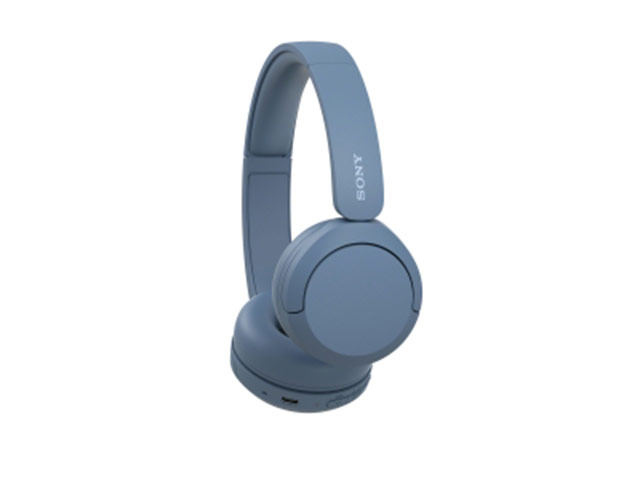
Sony Wh-Ch520 Bluetooth On-Ear Headphones
Sony wh-ch520 bluetooth on-ear headphones
introducing the sony wh-ch520 bluetooth wireless headphones -the perfect audio companion for your on-the-go lifestyle. with up to 50 hours of battery life and quick charging capabilities, you can enjoy your favorite tunes for even longer.
the bluetooth technology allows for seamless connectivity to your devices, while the comfortable over-ear design ensures a snug fit. plus, the built-in microphone and remote make it easy to take calls and control your music. upgrade your audio experience with the sony wh-ch520 bluetooth wireless headphones today.
good sound quality and customizable to your taste -thanks to well-balanced sound tuning, eq custom and dsee
360 reality audio compatible
ultra long battery life -50hrs and quick charge of 3 mins = 1.5hrs of playback
designed for comfortability -lightweight (147g), with head cushion, soft earpads, and silent joints
enjoy hands-free calling with a built-in microphone and easy controls from your headphones
connect two devices in parallel at once with a multi-point connection
headphones connect app and easy pair/fast pair compatible
supports voice assistant -siri and google
eco-friendly -recycled plastic is used in the wh-ch520 headphones.
also, no plastic is included in the individual packaging
with dolby atmos experience with bravia xr through wireless transmitter wla-ns7x
pairing:
1. search for (sony headphones connect) on google play or app store
2. launch the app.
3. select your country/region of residence
4. confirm the (end user license agreement) and check the (i read the above comments and agree) box.
5. tap [start]
setting up your sony headphones:
launch the Inch sony, headphones connect Inch app on your smartphone/iphone, then register your sony headphones by following the on-screen instructions. if your headphones are wireless headphones, use method a, b or c below to register the headphones.
a: turn on the wireless headphones, then move the headphones close to your smartphone/iphone. you can select the headphones to pair (register) with via bluetooth connection. if the headphones do not appear on the screen, try the following method b or c.
b:
Description
Sony wh-ch520 bluetooth on-ear headphones
introducing the sony wh-ch520 bluetooth wireless headphones -the perfect audio companion for your on-the-go lifestyle. with up to 50 hours of battery life and quick charging capabilities, you can enjoy your favorite tunes for even longer.
the bluetooth technology allows for seamless connectivity to your devices, while the comfortable over-ear design ensures a snug fit. plus, the built-in microphone and remote make it easy to take calls and control your music. upgrade your audio experience with the sony wh-ch520 bluetooth wireless headphones today.
good sound quality and customizable to your taste -thanks to well-balanced sound tuning, eq custom and dsee
360 reality audio compatible
ultra long battery life -50hrs and quick charge of 3 mins = 1.5hrs of playback
designed for comfortability -lightweight (147g), with head cushion, soft earpads, and silent joints
enjoy hands-free calling with a built-in microphone and easy controls from your headphones
connect two devices in parallel at once with a multi-point connection
headphones connect app and easy pair/fast pair compatible
supports voice assistant -siri and google
eco-friendly -recycled plastic is used in the wh-ch520 headphones.
also, no plastic is included in the individual packaging
with dolby atmos experience with bravia xr through wireless transmitter wla-ns7x
pairing:
1. search for (sony headphones connect) on google play or app store
2. launch the app.
3. select your country/region of residence
4. confirm the (end user license agreement) and check the (i read the above comments and agree) box.
5. tap [start]
setting up your sony headphones:
launch the Inch sony, headphones connect Inch app on your smartphone/iphone, then register your sony headphones by following the on-screen instructions. if your headphones are wireless headphones, use method a, b or c below to register the headphones.
a: turn on the wireless headphones, then move the headphones close to your smartphone/iphone. you can select the headphones to pair (register) with via bluetooth connection. if the headphones do not appear on the screen, try the following method b or c.
b:
Colours: blue
Branding Options: –
Composition:
Additional information
| Brand | |
|---|---|
| Colour | |
| Branding Options |


